



AtlasChill
AtlasChill AppDownload the app
Shugo(EU)19m 48s19m48

Shugo Festival

Europe

Next windows

  • –in 19m 48s
  • –in 1h 19m
  • –in 2h 19m
  • –in 3h 19m
  • –in 4h 19m
View the full calendar

Server time: Europe/Berlin

Rift(EU)1h 19m1h19

Spacetime Rift

Europe

Next windows

  • –in 1h 19m
  • –in 4h 19m
  • –in 7h 19m
  • –in 10h 19m
  • –in 13h 19m
View the full calendar

Server time: Europe/Berlin

Invasion(EU)2m 48s2m48

Dimensional Invasion

Europe

Next windows

  • –live, closes in 2m 48s
  • –in 49m 48s
  • –in 1h 49m
  • –in 2h 49m
  • –in 3h 49m
View the full calendar

Server time: Europe/Berlin

Bosses(EU)19m 48s19m48

Watcher Kaira

Europe

Next windows

  • Watcher Kaira–in 19m 48s
  • Watcher Kaira–in 3h 19m
  • Watcher Kaira–in 6h 19m
  • Watcher Kaira–in 9h 19m
  • Watcher Kaira–in 12h 19m
View the full calendar

Server time: Europe/Berlin

Battlefield(EU)10h 19m10h19

Battlefield

Europe

Next windows

  • –in 10h 19m
  • –in 19h 19m
  • –in 34h 19m
  • –in 43h 19m
  • –in 58h 19m
View the full calendar

Server time: Europe/Berlin

Siege(EU)20h 19m20h19

Artifact Siege

Europe

Next windows

  • Artifact Siege–in 20h 19m
  • Artifact Siege–in 68h 19m
  • Artifact Siege–in 116h 19m
  • Artifact Siege–in 188h 19m
  • Artifact Siege–in 236h 19m
View the full calendar

Server time: Europe/Berlin

Executors(EU)20h 49m20h49

Executor Tamasa, Executor Argo, Executor Kaira

Europe

Next windows

  • Executor Tamasa, Executor Argo, Executor Kaira–in 20h 49m
  • Executor Tamasa, Executor Argo, Executor Kaira–in 68h 49m
  • Executor Tamasa, Executor Argo, Executor Kaira–in 116h 49m
  • Executor Tamasa, Executor Argo, Executor Kaira–in 188h 49m
  • Executor Tamasa, Executor Argo, Executor Kaira–in 236h 49m
View the full calendar

Server time: Europe/Berlin

Nahma(EU)44h 19m44h19

Guardian Lord Nahma

Europe

Next windows

  • Guardian Lord Nahma–in 44h 19m
  • Guardian Lord Nahma–in 92h 19m
  • Guardian Lord Nahma–in 212h 19m
  • Guardian Lord Nahma–in 260h 19m
  • Guardian Lord Nahma–in 380h 19m
View the full calendar

Server time: Europe/Berlin

Resets(EU)8h 19m8h19

Server Resets

Europe

Next windows

  • Daily reset–in 8h 19m
  • Daily reset–in 32h 19m
  • Daily reset–in 56h 19m
  • Daily reset–in 80h 19m
  • Daily reset–in 104h 19m
View the full calendar

Server time: Europe/Berlin

Desktop app

Your damage meter, your timers and your routine, over the game

The AtlasChill app draws the fight and the clock on top of AION 2 while you play: live damage for you and your party, the boss's health, cooldowns, event notices and your daily routine without leaving the game. It is free and it reads nothing but the game's network traffic.

Download for Windows

Version 1.1.6 · Windows 10 and 11

SHA-256 880c4e94dd0efa0ec163638d934f536266fcc01f479d18fdcf324ff4c8bce030

If Windows SmartScreen warns that the publisher is unknown, the installer is signed with AtlasChill's own certificate (not a public authority yet), so Windows does not recognise it. Open «More info» and choose «Run anyway». You can check the download against that hash: Get-FileHash .\AtlasChill_App_x64-setup.exe -Algorithm SHA256 in PowerShell.

  • Free, no account
  • Reads the network only
  • Above the game, fullscreen too
  • Updates itself
A damage meter that explains the fight

The whole app

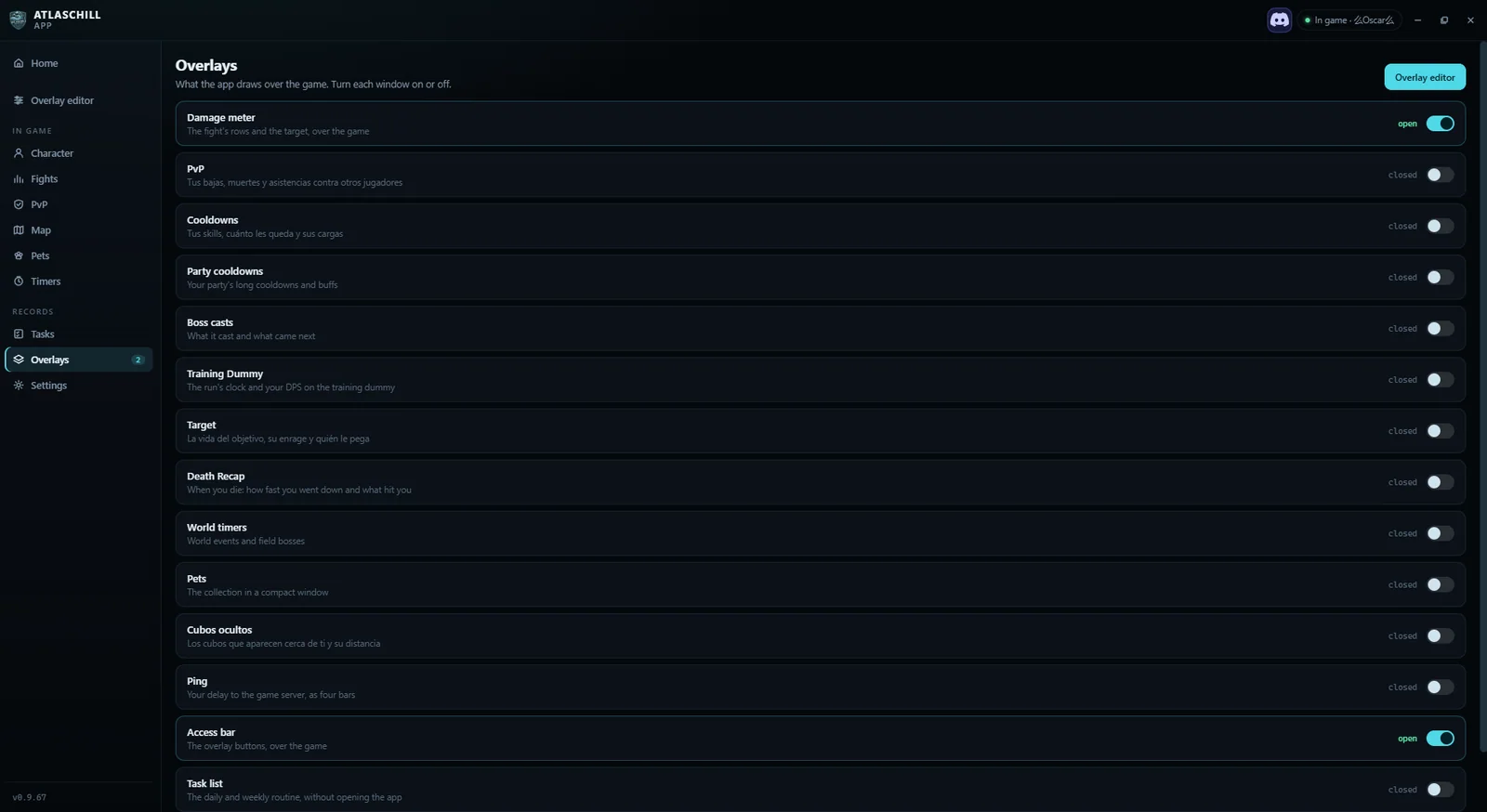
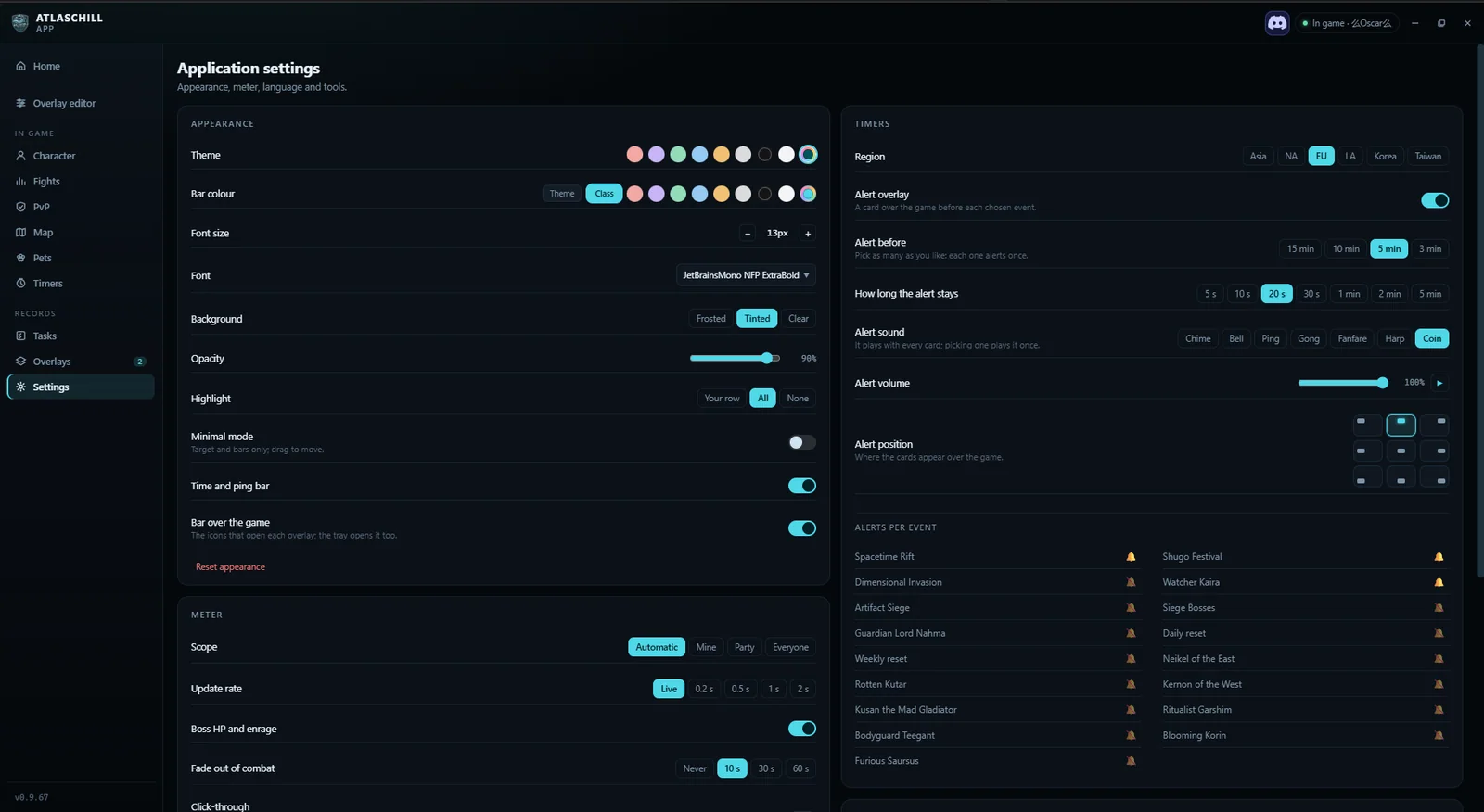
Every window of the app, and each one switches on or off from the Overlays page. These are real screenshots, taken with the game running.

Click any screenshot to see it full size.

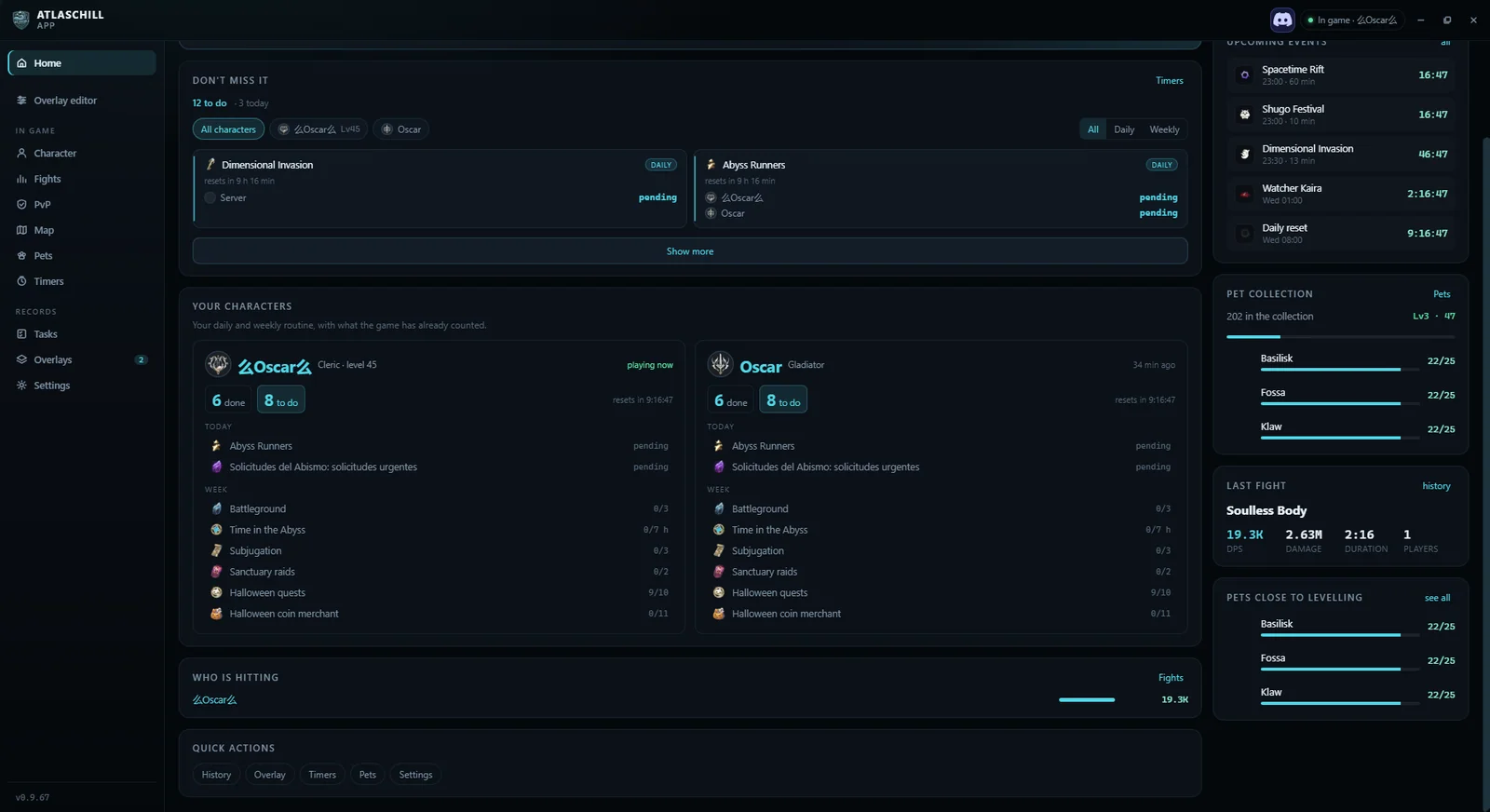
The home view: today's routine, the timers of the day, your characters and your pets.
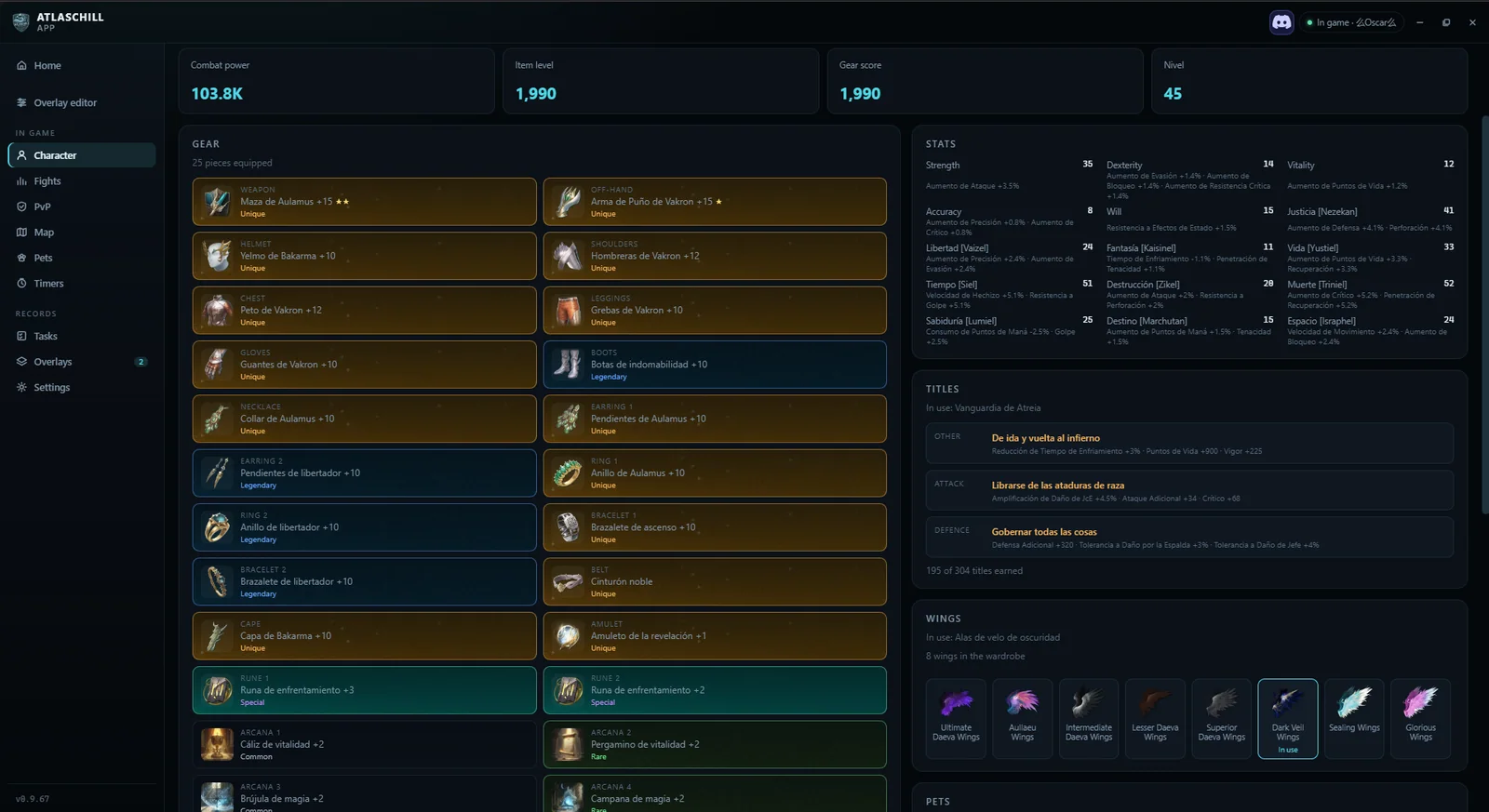
Each character with their gear, their stats and their titles.
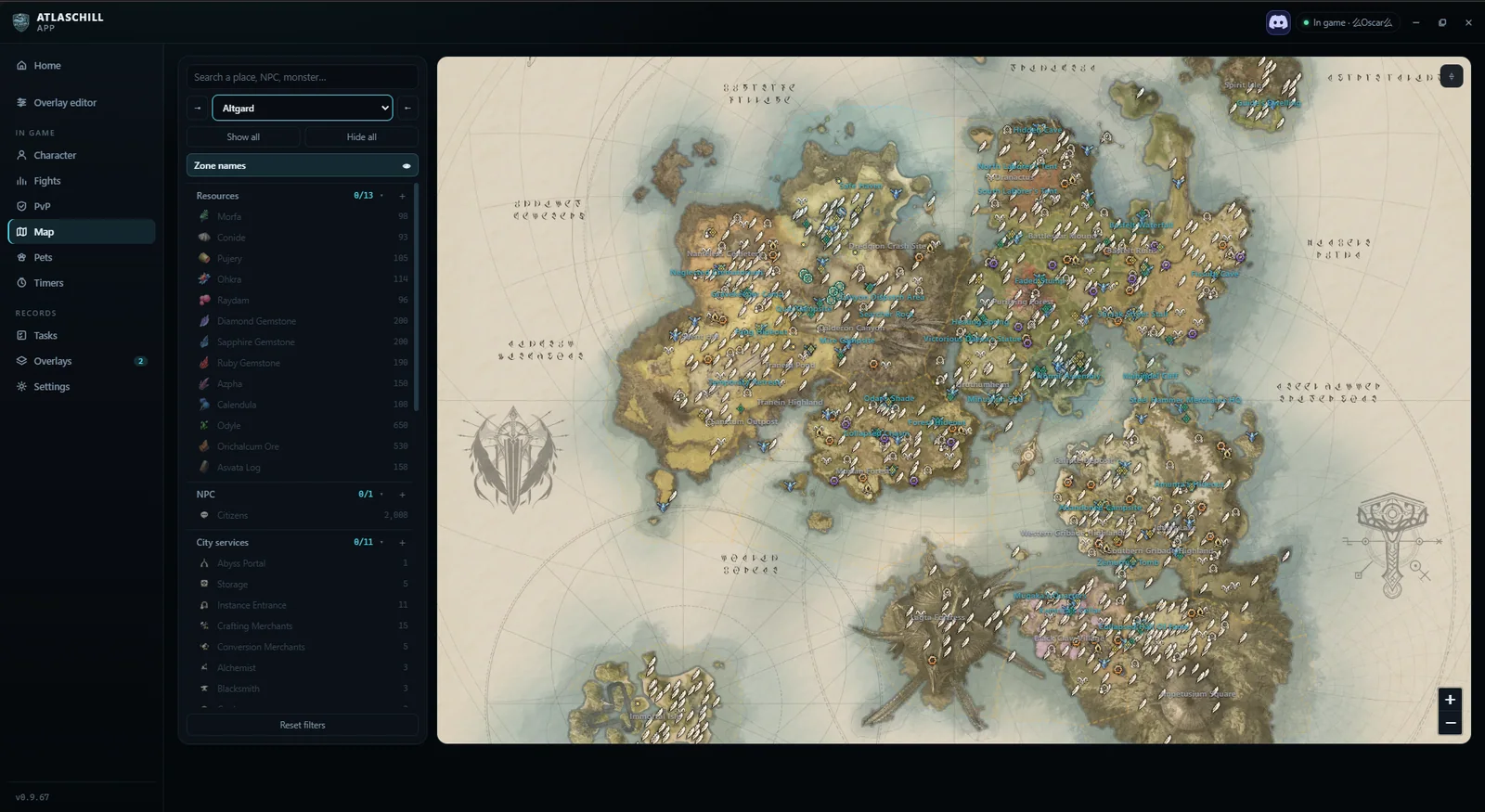
The world map with the layers you turn on.
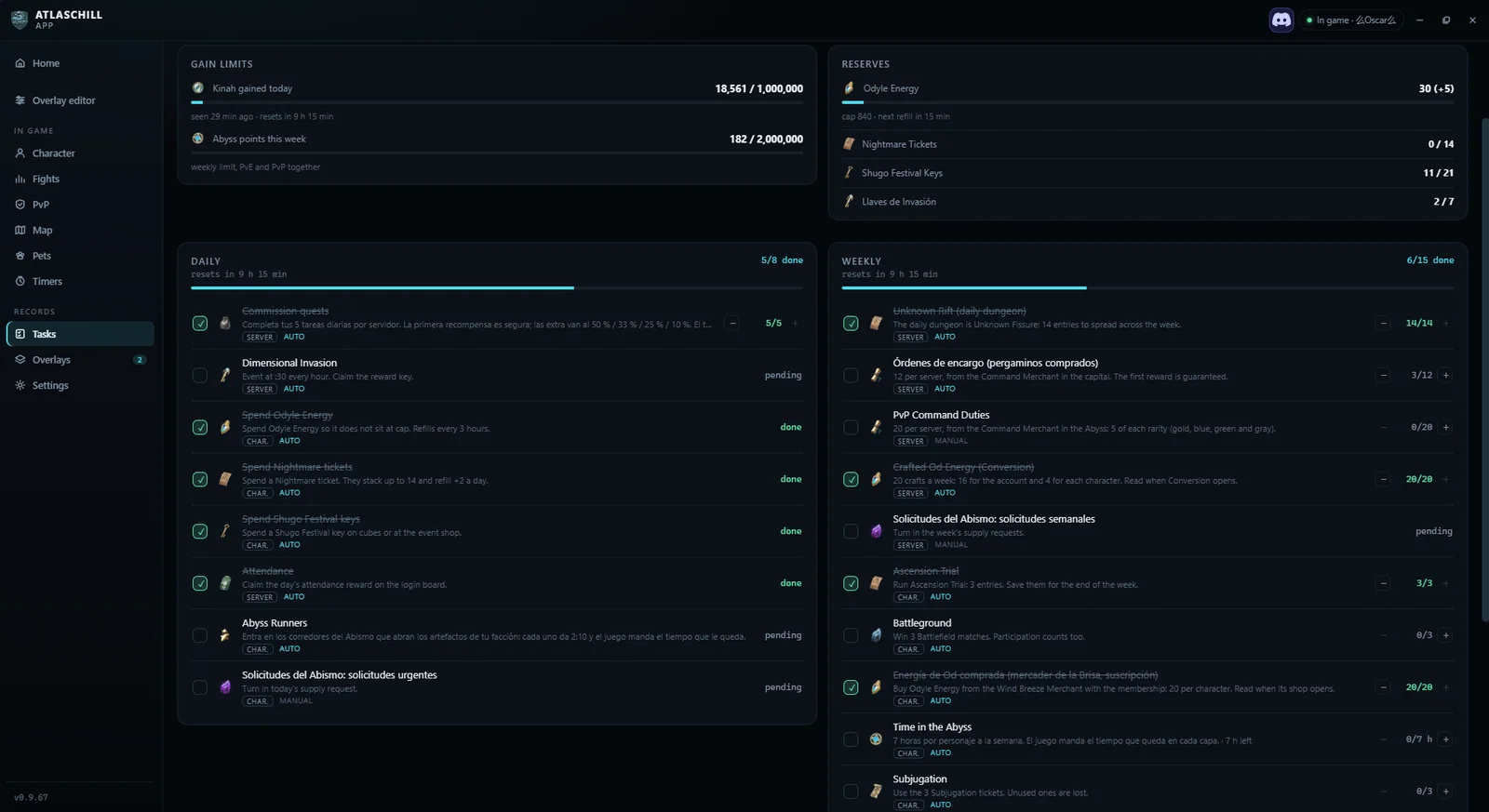
Daily and weekly tasks, tracked from the game.
Every window on or off, and the access bar over the game.
Appearance, meter, region and alert per event.
A damage meter that explains the fight

A damage meter that explains the fight

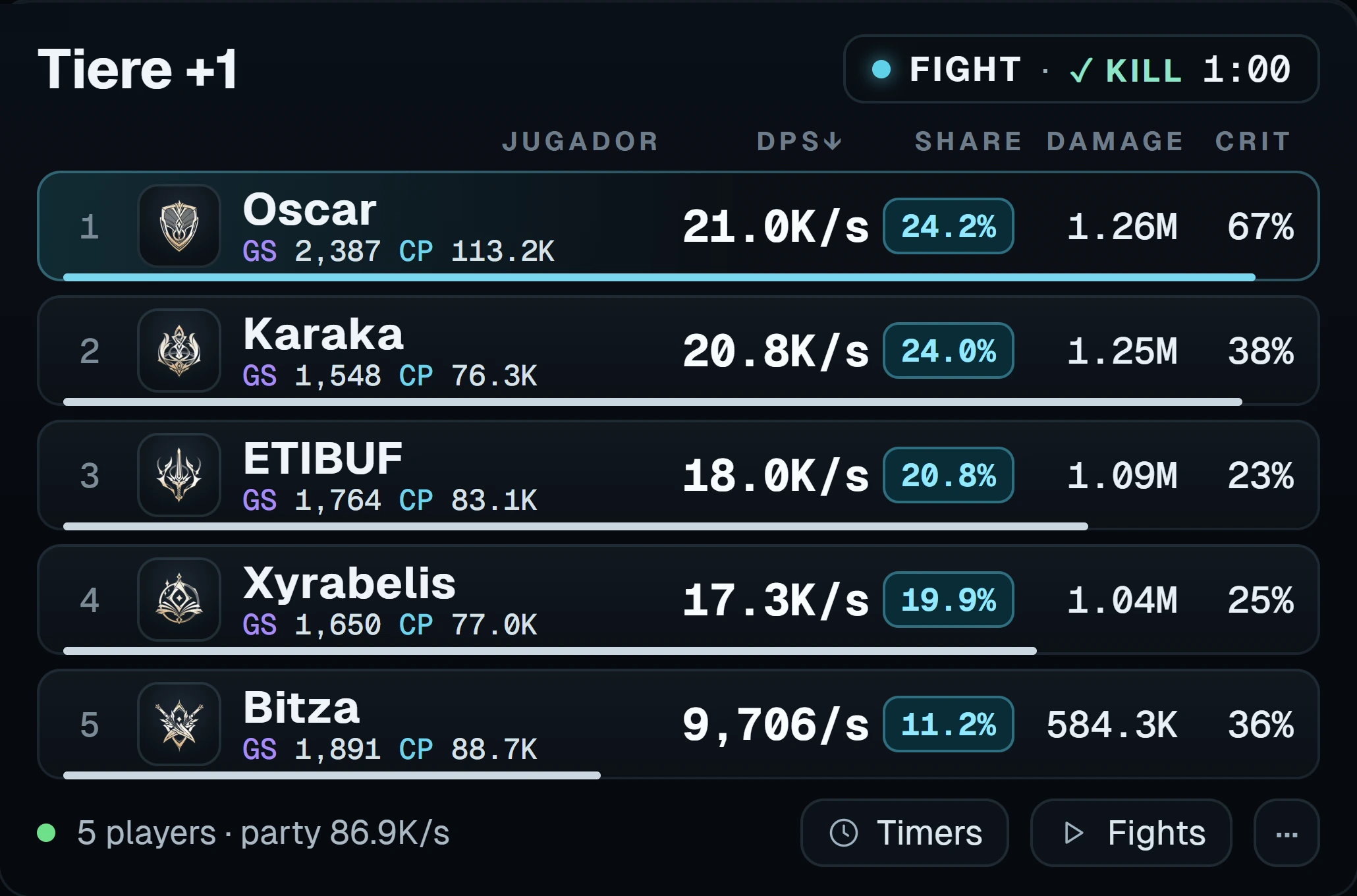
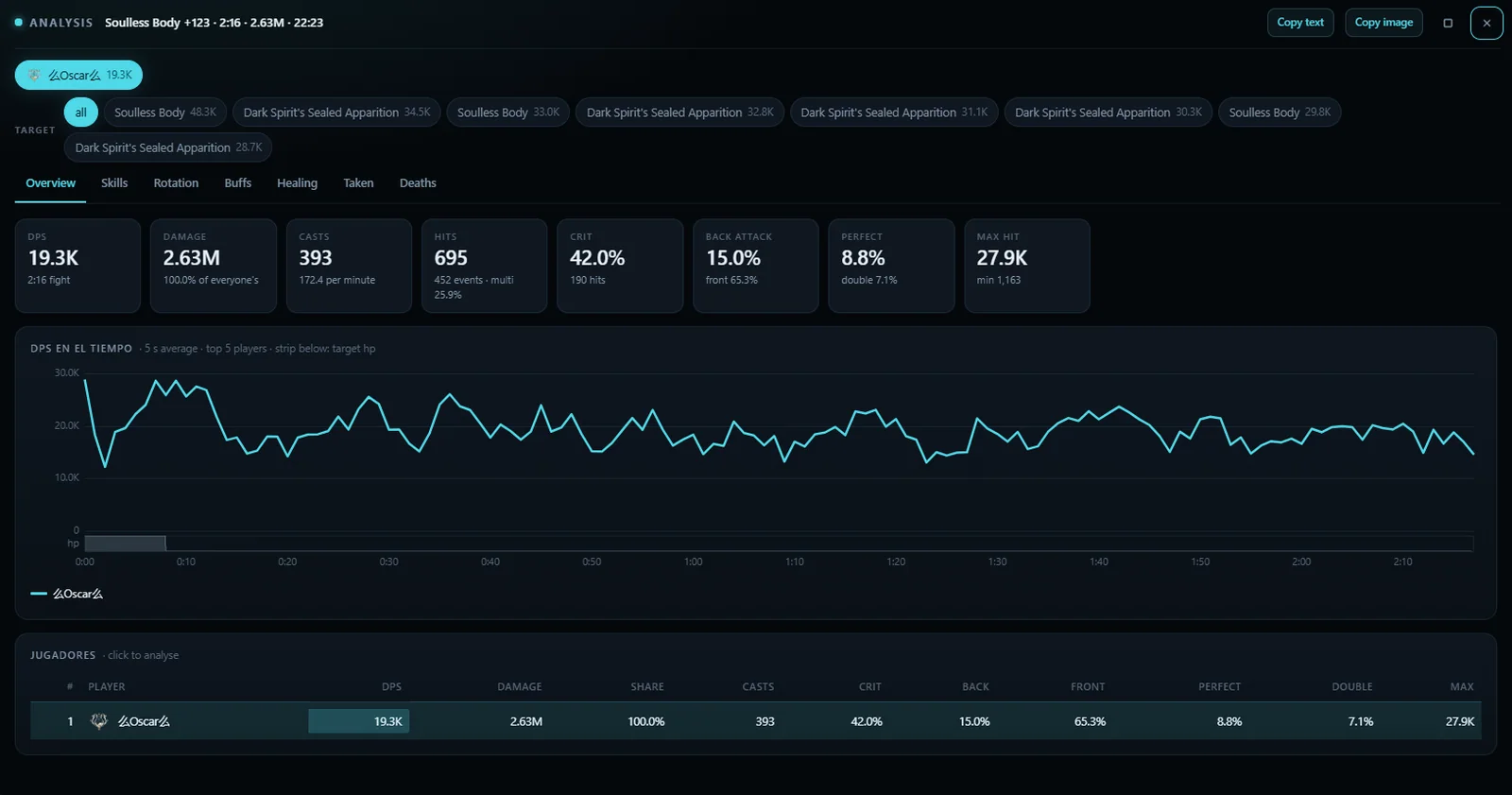
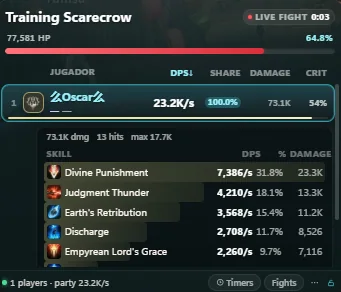
The meter ranks you and your party by damage per second as the fight goes, with each player's share, total damage and crit rate. Click a player to open the analysis: every skill, its hits, its crit rate and the damage on a chart over the whole fight. You choose who counts —you, your party or everyone around you— and whether it measures everything, bosses only or your current target.
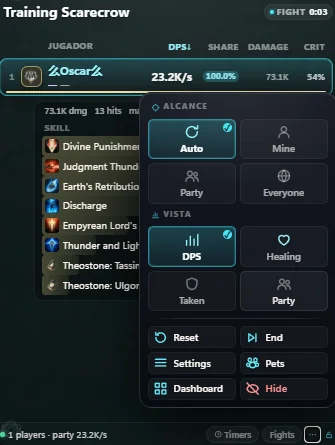
Scope and view

Scope and view

Scope, view, reset, end, settings, pets, dashboard and hide: the meter's own menu, without leaving the game.

Training runs

Training runs

The same meter against a training dummy and with your own numbers only, to compare rotations before you take them to a real fight.

Every event, on time

Every event, on time

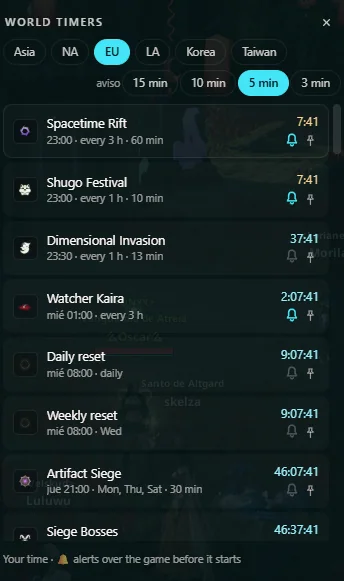
Shugo Festival, Spacetime Rift, Dimensional Invasion, Watcher Kaira, sieges, field bosses and the resets. Pick your region, how long before each one you want to know and its sound: the notice lands over the game, and as a Windows notification when you are not playing.

Pets and their souls

Pets and their souls

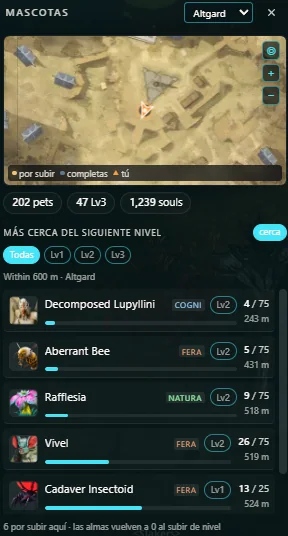
Every pet with the souls it still needs and the monster that drops them, in the same phases as the web's collection: collect them, then level them to 2, then to 3. It also lists the pets closest to their next level around you while you farm.

Black market and exchange

Black market and exchange

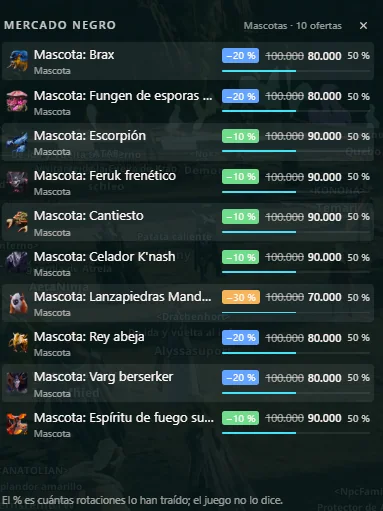
The cheapest listings of your server with the percentage they drop against their usual price, and the exchange rate of the quna chests: the web's market, over the game.

Every fight, saved

Every fight, saved

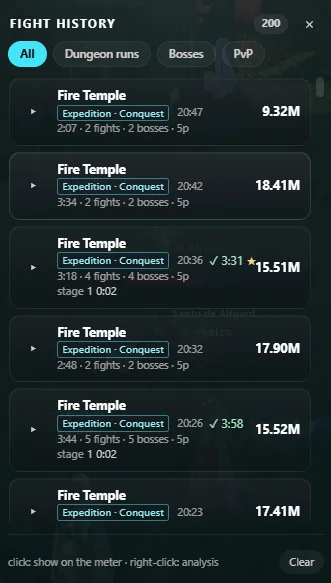
Dungeon runs, bosses and PvP sessions stay on your PC with their clear time, each boss fight and each member's damage, healing, damage taken and deaths. Open one to see the fight again or copy a summary for the game chat.

The daily and weekly routine

The routine is tracked from the game itself: what it has already counted, what is still pending and when the reset comes. It is the same list as the web's checklist, with your characters and their progress.

Your characters and the map

Gear, stats, titles and wings for each of your characters, and the world map with the same layers and filters as the web: whichever you have open when you close the app is where you come back to.

It looks the way you want it to

Theme, bar colour, type and size, background opacity, region, alert sound and volume, how long a notice stays and which events ring: the Settings page is where the app becomes yours.

Ready in four steps

Windows 10 and 11. Nothing else to install, except the driver the meter reads the game with.

  1. Open the installer

    Open AtlasChill_App_x64-setup.exe from your downloads. If your browser says the file is not commonly downloaded, choose to keep it.

  2. Get past Windows SmartScreen

    If Windows shows “Windows protected your PC”, click “More info” and then “Run anyway”. The installer is signed with AtlasChill's own certificate, not a public authority yet, so Windows does not recognise it. Accept the prompt and let it install.

  3. Install Npcap if you do not have it

    The app reads the game with Npcap, a free Windows driver it cannot bundle itself. Download Npcap and install it with the default options. It also needs WebView2, which Windows 11 already ships and Windows 10 installs if missing.

  4. Open the app and play

    Open AtlasChill and leave AION 2 running. The DPS overlay, the target and the timers appear on top of the game.

Before you download

Is it free?

Yes. The app is free and needs no account. Signing in is only for the web's builds, characters and collection points.

Does it change the game?

No. It reads a copy of the game's network traffic through Npcap. It does not touch the game's files and does not read or write its memory. The overlays are separate windows drawn above it.

Does the meter show my whole party?

Yes. By default it shows you and your party, and you can switch it to only yourself or to every player around you, against everything, bosses only or your current target.
What does it do with my data?

The fights stay on your PC. The app shares the world's field-boss timers with other players of your server, and nothing else.

Ready to see your fights while they happen

Download the installer, install Npcap and open AION 2. The meter starts with your first fight.

Download for Windows

Version 1.1.6 · Windows 10 and 11

Ask in the AtlasChill Discord